Ground station control,
right from your browser.
Orbita drives the KB3GTN Positioner (AZ/EL antenna rotator) and an Icom IC-9700 transceiver for amateur satellite work — SGP4 pass prediction, live tracking, and real-time Doppler correction, in a keyboard-drivable browser console with no desktop install and no build step.
Features
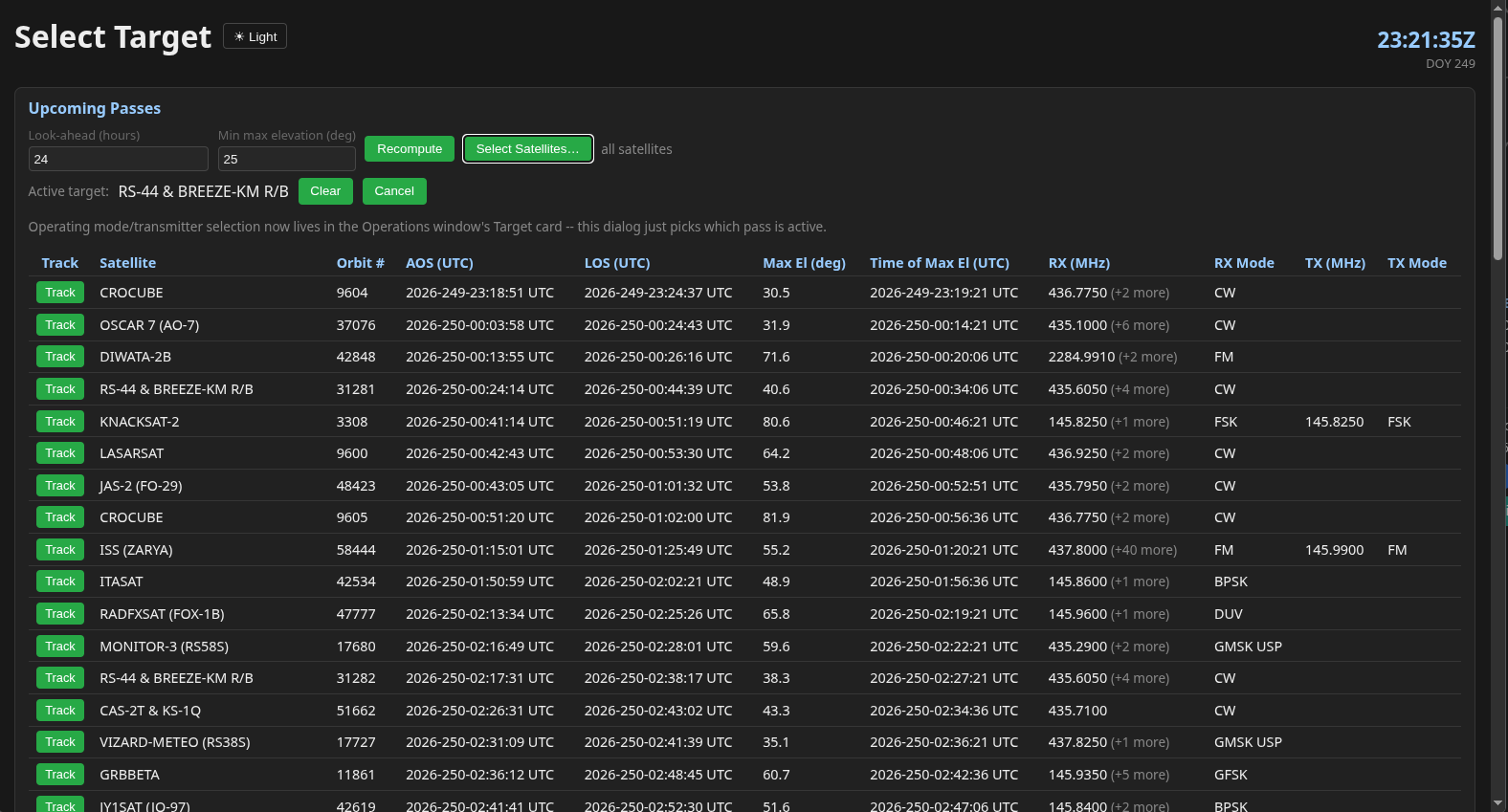
SGP4 Pass Prediction
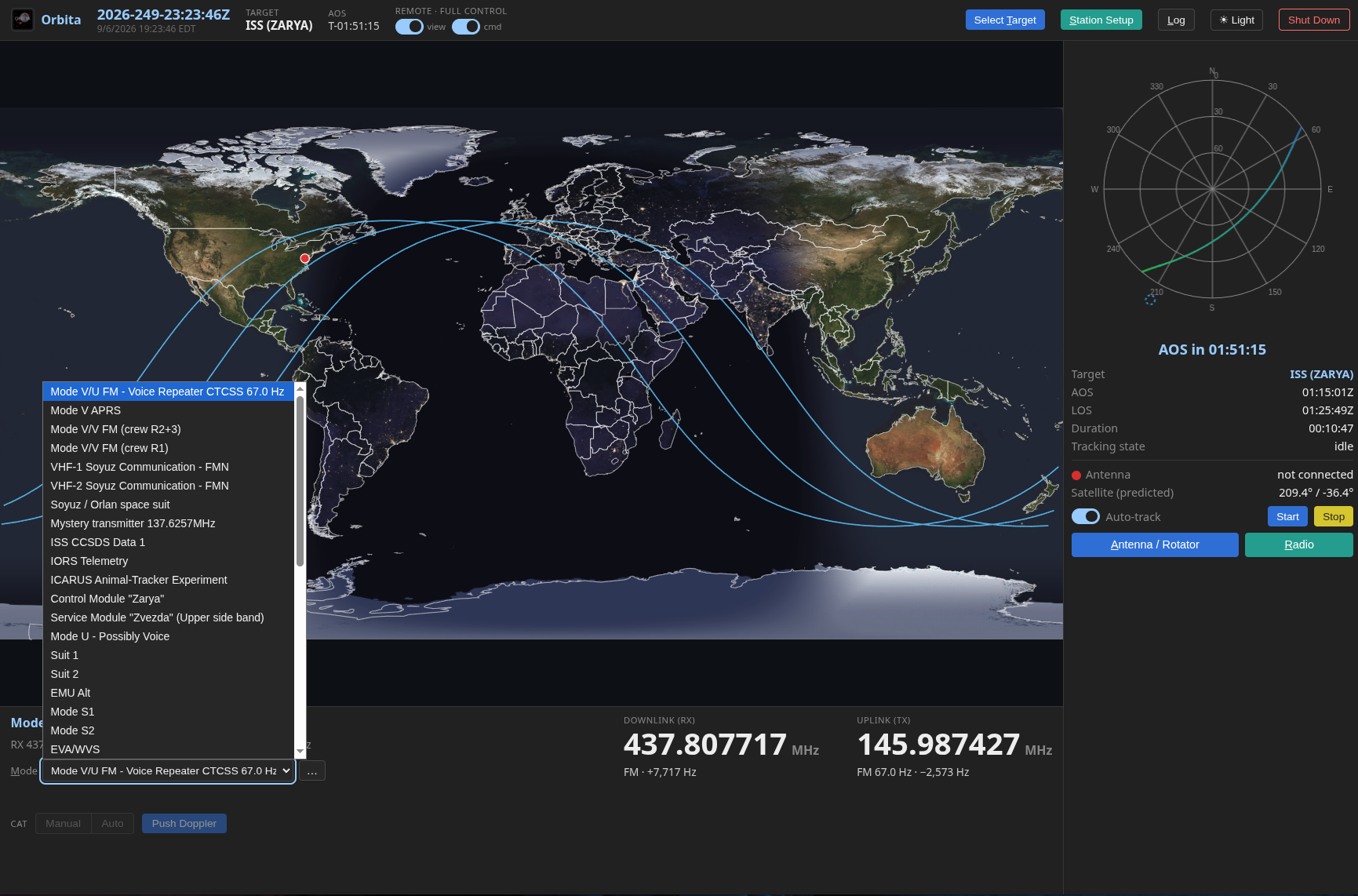
Full SGP4 propagation against the complete active-satellite catalog (mirrored at orbita.kb3gtn.us), reporting AOS/LOS, max elevation, and orbit number for every pass in your window — filtered to the satellites you actually care about.
Automated AZ/EL Tracking
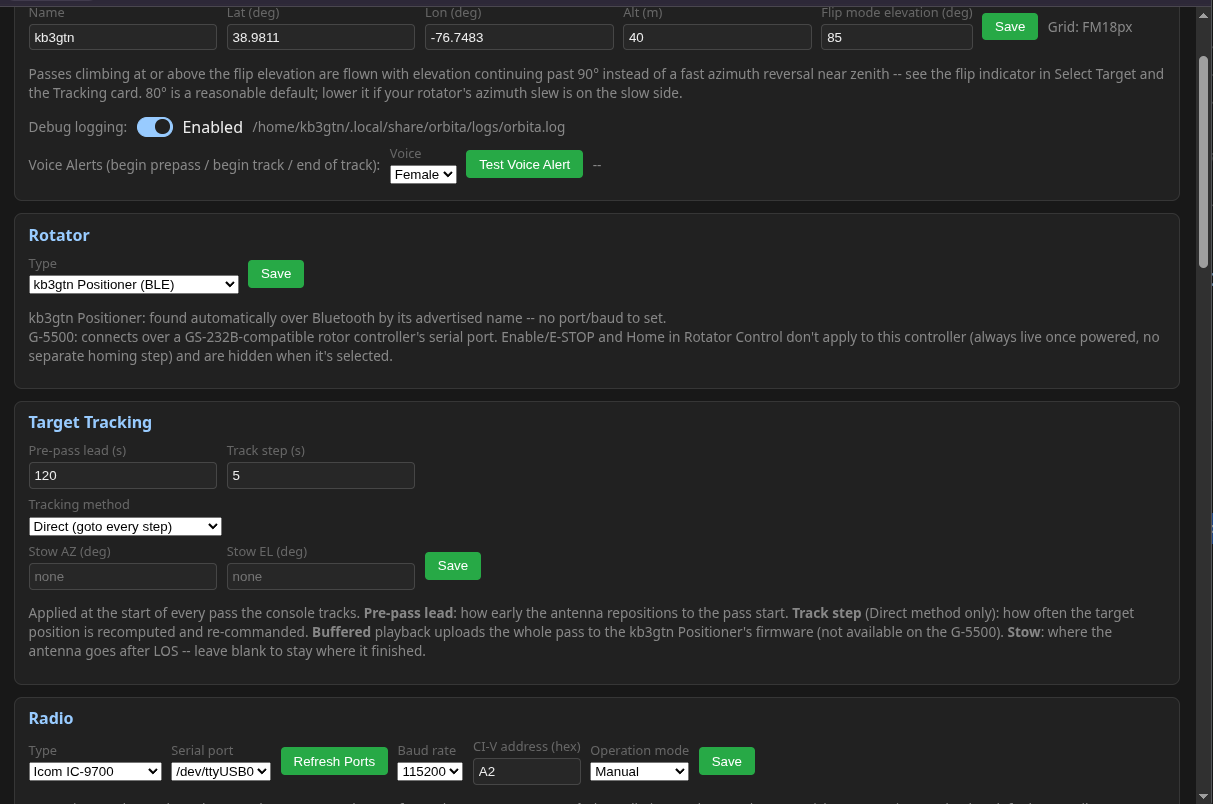
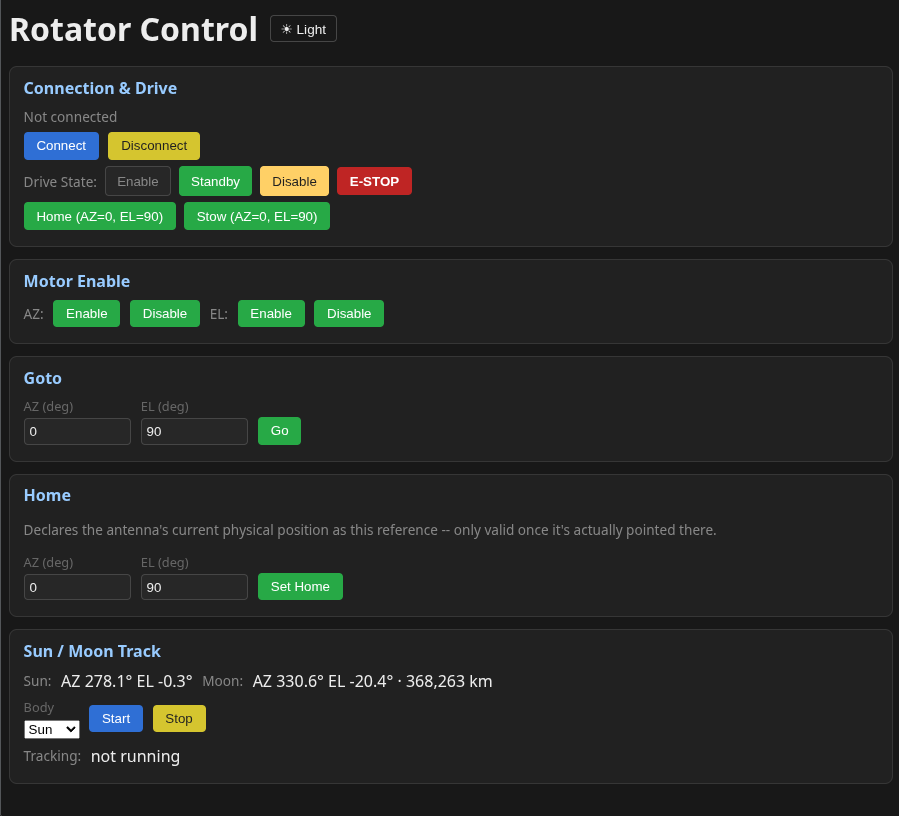
Drives the KB3GTN Positioner (BLE AZ/EL rotator) through an entire pass automatically — prepositioning, AOS start, waypoint refill mid-pass, and stow at LOS — with no operator babysitting required.
IC-9700 CAT & Doppler
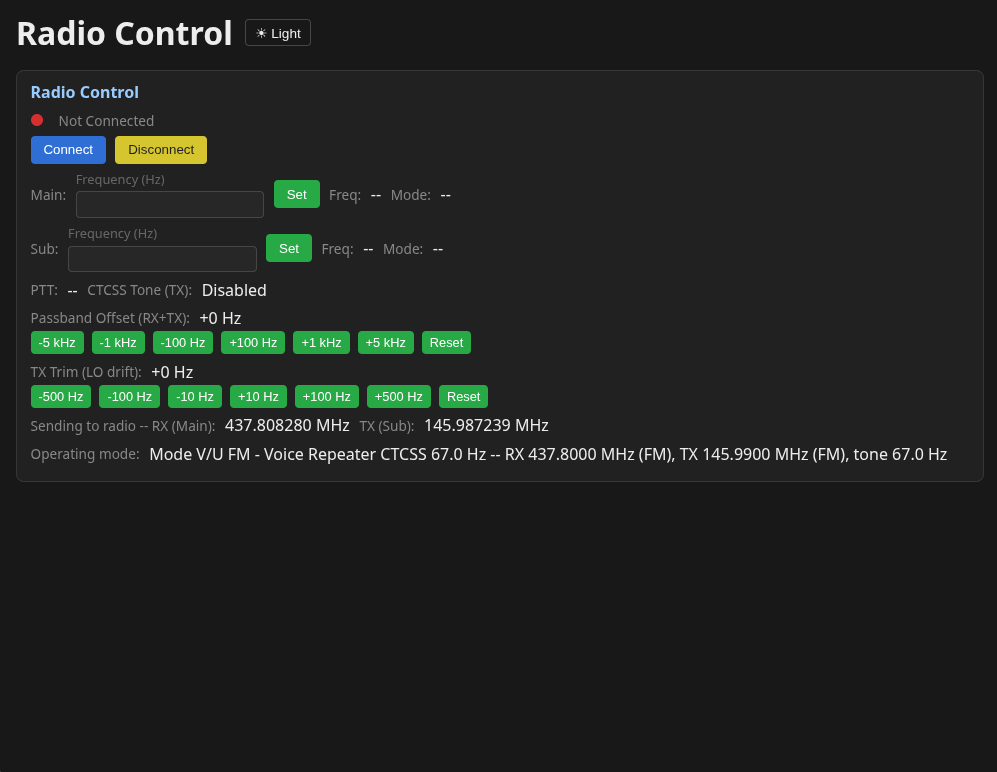
CAT control over the radio's own USB port programs Main/Sub frequency, mode, and CTCSS tone in one shot, then keeps the uplink and downlink Doppler-corrected — automatically for the whole pass, or on demand when you want to own the tuning. Passband offset and TX trim handle inverting transponders.
Sun & Moon Tracking
Live az/el for the Sun and Moon using a Meeus-algorithm implementation with topocentric parallax correction — handy fixed targets for antenna calibration and field tests.
Your Satellite Database
A curated, hand-vetted database of active amateur satellites and transmitters ships in the box, and you can add or correct entries locally without waiting on an upstream update.
Runs Anywhere on Your LAN
One headless backend, any number of browser windows or tabs sharing the same live hardware state — run the console on the shack PC and pull up a second view on a laptop across the room at the same time.
Screenshots
Architecture
Orbita is a headless Rust backend (orbita,
built on Axum) paired with a plain HTML/CSS/JS frontend — no bundler, no npm, no build
step. The frontend talks to the backend over one WebSocket per browser window, using a small
request/response and push-event protocol.
- orbita-core — SGP4/TLE math, IC-9700 radio control, and the KB3GTN Positioner's BLE protocol client. No knowledge of the web server or a browser.
- orbita — serves the frontend
as static files and exposes
orbita-coreover a WebSocket RPC/ event API. One shared application state, so every connected window sees the same hardware and mission state. - Runs from a system tray icon (Windows & Linux) — open or quit the backend without a terminal window.
Status
Working
- SGP4 pass prediction
- Automated AZ/EL pass tracking
- KB3GTN Positioner control
- IC-9700 CAT control
- Live Doppler correction
- Sun & Moon position
- Curated + user satellite database
- TLE mirror (orbita.kb3gtn.us)
Beta / Planned
- Zenith flip-mode auto-tracking
- Continuous Sun/Moon tracking
- Indefinite GEO tracking
- GPS ground-station auto-setup
- IC-9700 Normal/Reverse tracking
- Jog/track-session lockout
Downloads
Windows
orbita 0.5.5 · x86_64 · MSI installer · 5.0 MB
Installs Orbita as a regular Windows application. Launch it from the Start menu; it opens the operator console in your default browser.
Download .msiUbuntu 26.04
orbita 0.5.5-1 · amd64 · .deb package · 3.6 MB
Install with sudo apt install ./orbita_0.5.5-1_amd64.deb,
then run orbita from a terminal or the applications menu.
Orbita is still in beta and active testing — see the Status section for what's verified vs. still in progress.
Either package prints a URL
(http://127.0.0.1:7878 by default) to open in a browser —
override the port with ORBITA_PORT and the bind address with
ORBITA_BIND. Source isn't public yet; it's headed toward an
open-source release once it's further along.